
Your best salesperson just walked out of a great meeting. They have a new lane, a potential volume, and a promise to send rates. But they’re already driving to the next visit. That critical information lives in their head, on a notepad, or in a quick voice memo on their phone. It will get typed into the CRM tonight, tomorrow, or never. This is how quotes get sent late and pipelines become fiction. For a deeper look at the tools that drive growth, see the complete guide to freight sales CRM.
There is a better way. A voice CRM moves the record to the moment right after the conversation. The salesperson speaks, and the system builds the record from what they said. Not just a note, but the activity logged, the quote request created, and the follow-up scheduled. Here’s how it works.
What a voice CRM is
A voice CRM is a system that lets a salesperson log a call or customer visit by speaking. It converts the spoken note into a structured CRM record, linked to the right account, and captures the next step. It’s built for salespeople on the move.
A definition for freight sales
For a freight forwarder, a voice CRM takes a spoken update and turns it into structured data and an action. Instead of just transcribing words, it understands the context of a freight sale.
A voice CRM lets a freight salesperson log a call or customer visit by speaking. It converts the spoken note into a structured CRM record—linked to the right account or opportunity—and captures the next step, such as requesting missing shipment details, preparing a quote, or scheduling a follow-up.
For example, a salesperson can record: "Met ABC Imports in Jebel Ali. They need air rates for monthly sample shipments to London. Call them back Thursday." The system logs the visit, creates the quote request for the pricing team, and sets a follow-up task for Thursday.
How voice CRM differs from voice-to-text
The difference is action. Plain voice to crm transcription gives you a block of text. You still have to copy the details, find the right account, and create the tasks yourself. A voice CRM does that work for you. According to Microsoft's 2026 documentation for its sales tools, a voice workflow can automatically structure notes with key details and next steps, saving them directly to the opportunity (Microsoft Learn).
- Voice-to-text produces words.
- A voice CRM produces the record and the next steps.
Why the next step matters in freight
In freight sales, the next step after a visit is almost always a quote. A simple note is not enough. The request needs to move to your pricing team with the correct lane, mode, and volume. According to SAP's documentation on forwarding orders, a customer request can come by phone and must be converted into a quotation. A voice CRM connects the sales conversation directly to that quoting process, ensuring nothing gets dropped.
Why field sales records go missing
Pipelines do not hunt, and forwarder CRMs often record deals that nobody works. This happens because the data is bad. And the data is bad because your field team is too busy selling to do data entry. They are on the road, between port visits in Nhava Sheva or on calls with clients near Felixstowe. Typing detailed notes gets pushed to the evening, or skipped entirely.
The gap between the visit and the keyboard
As one field-sales software company puts it, much of what field sellers learn stays in phone memos and notepads and never reaches the CRM (Myko.ai). The problem isn't a lack of information; it's the gap between a great conversation and a clunky CRM form. This is a core challenge in understanding how forwarders find customers—the best intel often never makes it into a shared system.
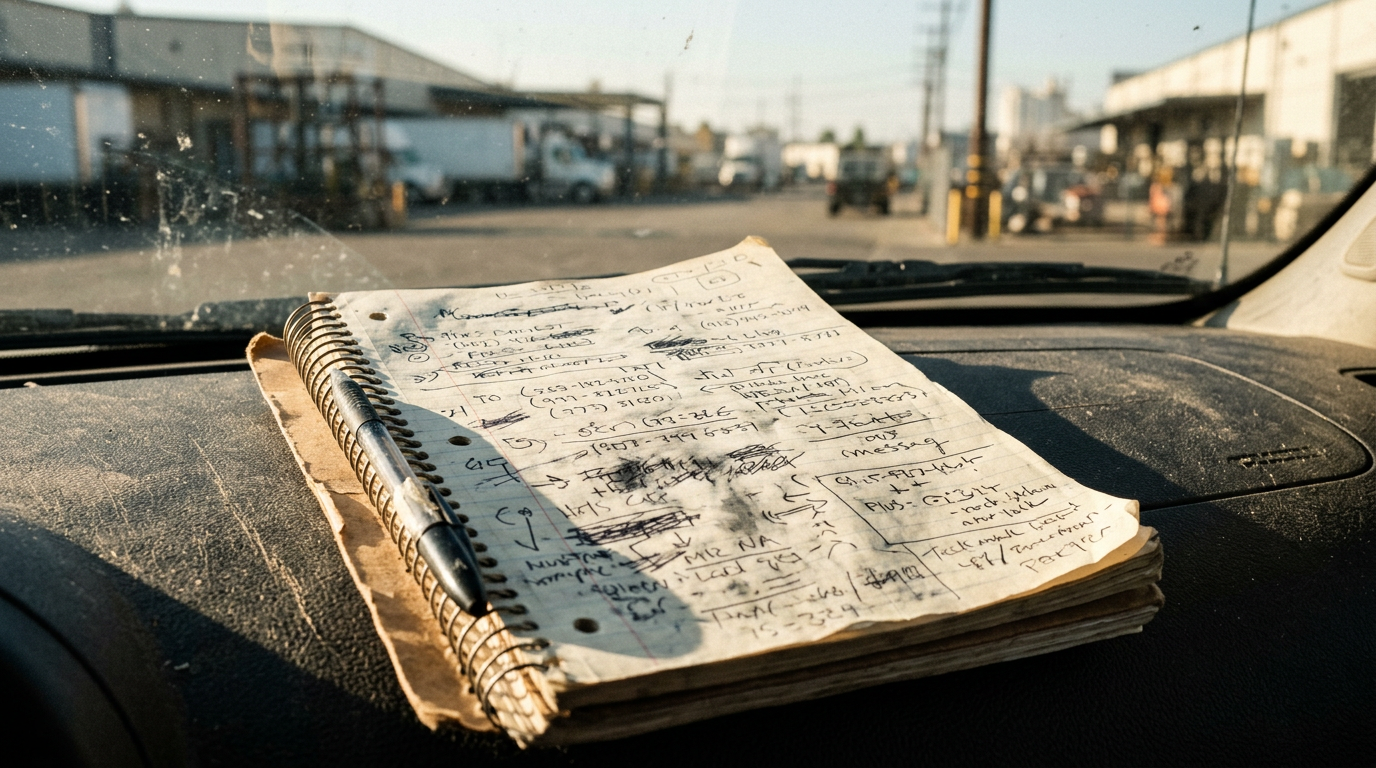
What gets lost: lanes, volumes, and promises
When a record is jotted down hours later, crucial details disappear. The specific trade lane, the estimated monthly TEU, the decision-maker's name, the agreed-upon follow-up date—these details are the foundation of a quote and a deal.
The cost of incomplete records
The consequences are direct and painful:
- Follow-ups are missed. The promise to call back on Tuesday is forgotten.
- Quotes are sent late. Your pricing team has to chase the salesperson for the details they should already have.
- The pipeline is a lie. Your forecast reflects what was typed, not what actually happened in the market. You're managing by what's in the CRM, not by what your customers are telling you.
How a voice note becomes the record
With a voice CRM, the workflow is simple and immediate. It closes the gap between the conversation and the record. It’s a three-step process.
Step 1: The salesperson speaks after the visit
Immediately after a meeting, the salesperson records a short voice note. It’s a natural summary of the conversation.
"Met the logistics head of an electronics importer in Dubai; they want air rates for monthly sample shipments to London; call back Thursday."
This simple note contains the essentials: the customer, the location, the requirement (air rates), the pattern (monthly samples), the lane (Dubai to London), and the next action (call back Thursday).
Step 2: The AI turns the note into structured data
This is where the magic happens. SalesCRM AI turns a salesperson's voice note into the record: the activity is logged, the quote request created, the follow-up set and the rate card pulled.
The system parses the spoken words and maps them to the correct fields in your CRM:
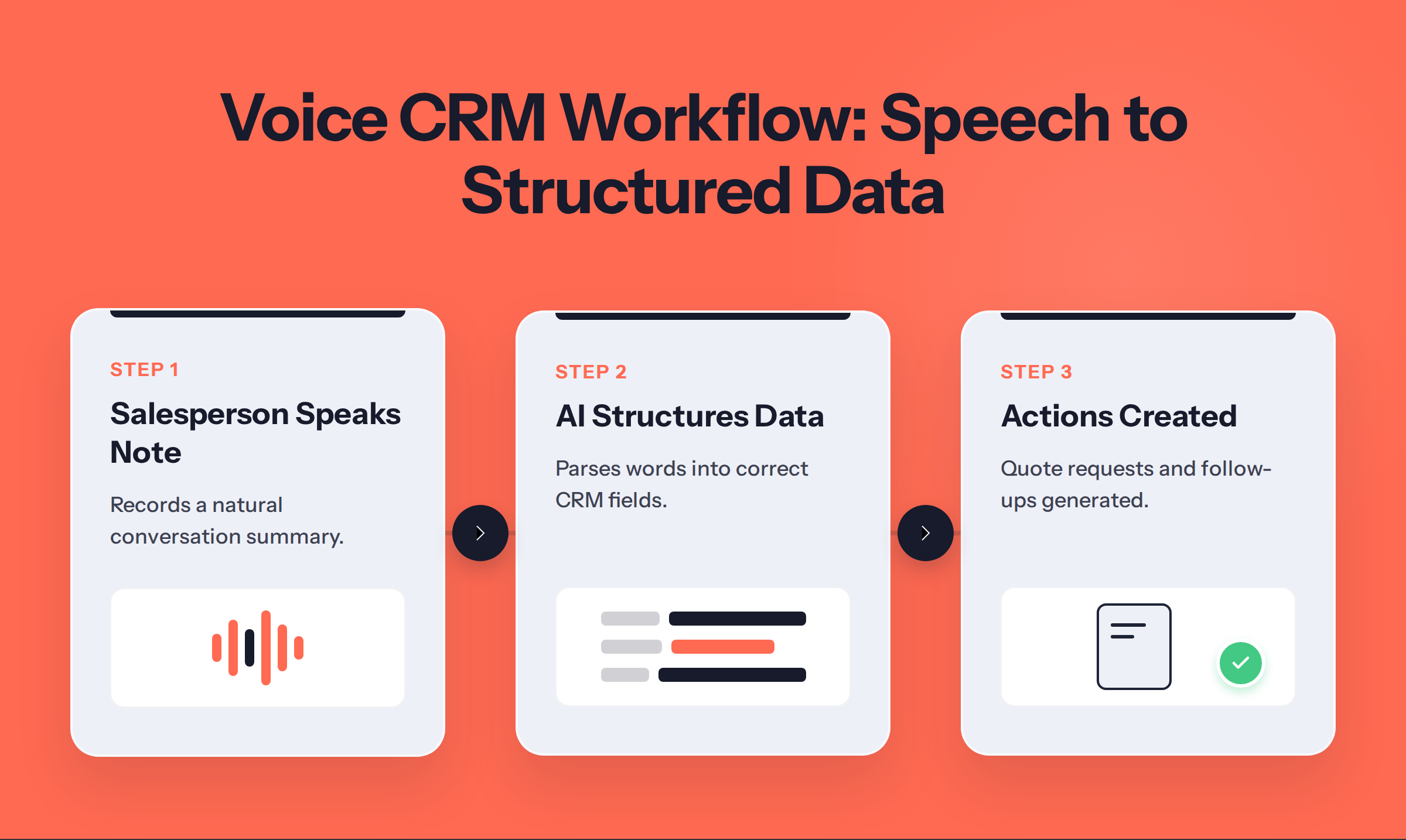
- Activity: Customer Visit logged for the electronics importer.
- Quote Request: New air freight quote for the pricing team.
- Lane: Dubai (DXB) to London (LHR). - Follow-up: Task created for the salesperson to "Call back Thursday."
Step 3: The quote request and follow-up are created
The structured data is now active. The quote request appears in the pricing team's queue, complete with all the details from the salesperson's note. The follow-up task appears in the salesperson's calendar for Thursday. The loop is closed. The opportunity is live and being worked, not sitting in a notebook. This is the foundation of a follow-up motion that wins quotes.
The overnight brief
Voice logging captures what happened today. The overnight brief prepares your team for tomorrow. It’s the other half of a powerful sales cadence.
Your day's plan, delivered on WhatsApp
Instead of logging into a CRM to figure out their day, your salespeople get a clear, prioritized plan sent directly to them. SalesCRM AI prepares the day's brief overnight and sends it on WhatsApp, so a salesperson reads their calls and drafts without logging in. This brief includes the day's scheduled visits, priority quote follow-ups, and any urgent tasks.
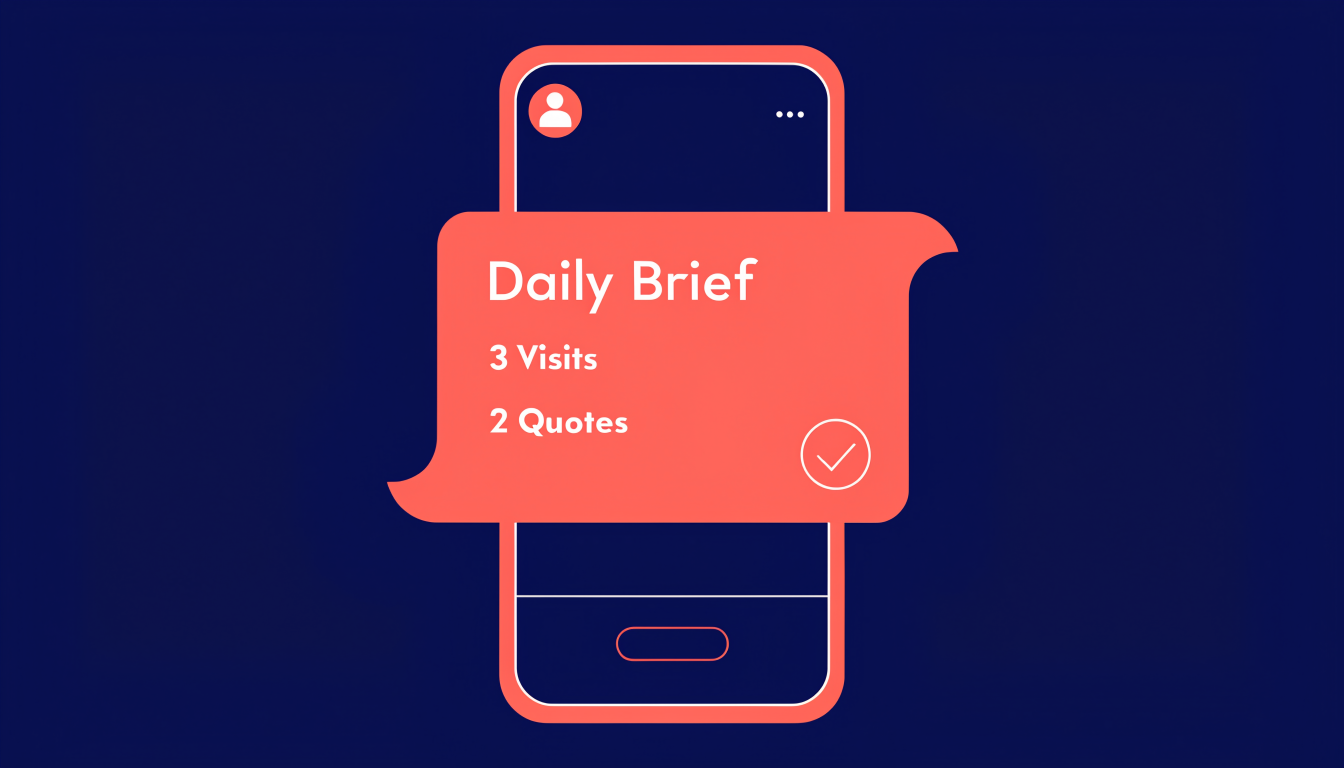
How the brief and voice logging work together
The two features create a virtuous cycle for your sales team:
- The brief sets the plan. The day starts with a clear list of priorities.
- The salesperson executes the plan. They make the calls and attend the visits.
- Voice logging captures the results. After each interaction, a quick voice note updates the system.
- The system prepares the next day's brief. The cycle repeats.
This process ensures that your CRM is always up to date, reflecting the reality on the ground. Your pipeline becomes a reliable tool for forecasting and management.
What to look for in a voice CRM for freight
Not all voice tools are created equal. For a freight forwarder, the system needs to understand the unique language and workflow of logistics. Here’s a checklist for choosing the right one.
Does it create actions, not just notes?
The most important question. Does a voice note trigger a quote request for your pricing team? Does it schedule the follow-up call? Or does it just save a text file? A simple transcription tool adds a step to your process. A true voice CRM automates it.
Does it understand freight context?
A generic sales CRM doesn't know the difference between a TEU and a CBM, or between Nhava Sheva and Jebel Ali. A freight-native system should recognize:
- Lanes and Locations: Ports like Mundra, Chennai, and Los Angeles/Long Beach.
- Modes: FCL, LCL, Air, Road.
- Equipment: 20GP, 40HC, Reefer.
- Incoterms: FOB, CIF, DDP.
Does it write to your system of record?
A voice tool that lives in a separate app is another silo. The data needs to land in the same system that runs your quotes, jobs, and financials. It should integrate with your TMS and accounting platform, not just create another spreadsheet to manage. The goal is a single source of truth.
Does it give you a real-time pipeline?
With voice logging, your pipeline updates the moment a salesperson finishes a call, not at the end of the week. As a manager, you can see new opportunities as they appear. You can see which quotes are pending and which follow-ups are overdue. You get a live view of your business, which is the key difference between a freight CRM compared with a generic CRM.
By turning spoken updates into structured, actionable data, a voice CRM ensures that what your salespeople hear in the field is what you see in the pipeline. It’s time to stop losing deals between the car and the keyboard. It’s time to log every call and visit by speaking.
Ready to see how it works? See your queue ranked live.
Frequently Asked Questions
What is voice CRM?
A voice CRM is a tool that allows a salesperson to log customer interactions, like calls and visits, simply by speaking. It converts their spoken words into a structured record in the Customer Relationship Management (CRM) system, automatically linking it to the correct customer account, creating tasks like quote requests, and scheduling follow-ups. It’s designed to eliminate manual data entry for field sales teams.
How is voice CRM different from voice-to-text?
The key difference is action versus transcription. A voice-to-text tool simply converts speech into a block of text, which you then have to manually copy, paste, and organize. A voice CRM interprets the text, understands the context (like "quote request" or "call back Tuesday"), and uses it to create structured records and automated workflows, such as assigning a task to the pricing team or adding a reminder to the salesperson's calendar.
Do salespeople need to learn a new system?
No. The power of a well-designed voice CRM is that it works the way salespeople already work. The input is a simple voice note. There is no complex new software to learn. The salesperson speaks, and the system does the heavy lifting of creating the record in the background.
Where does the quote request go?
When a salesperson's voice note includes a quote request, the voice CRM automatically routes it to the correct team, typically the pricing or operations department. The request appears in their work queue on the same platform that runs your quotes and jobs, populated with all the details captured from the voice note, such as the trade lane, mode of transport, and cargo volume.
What should I look for in a freight voice CRM?
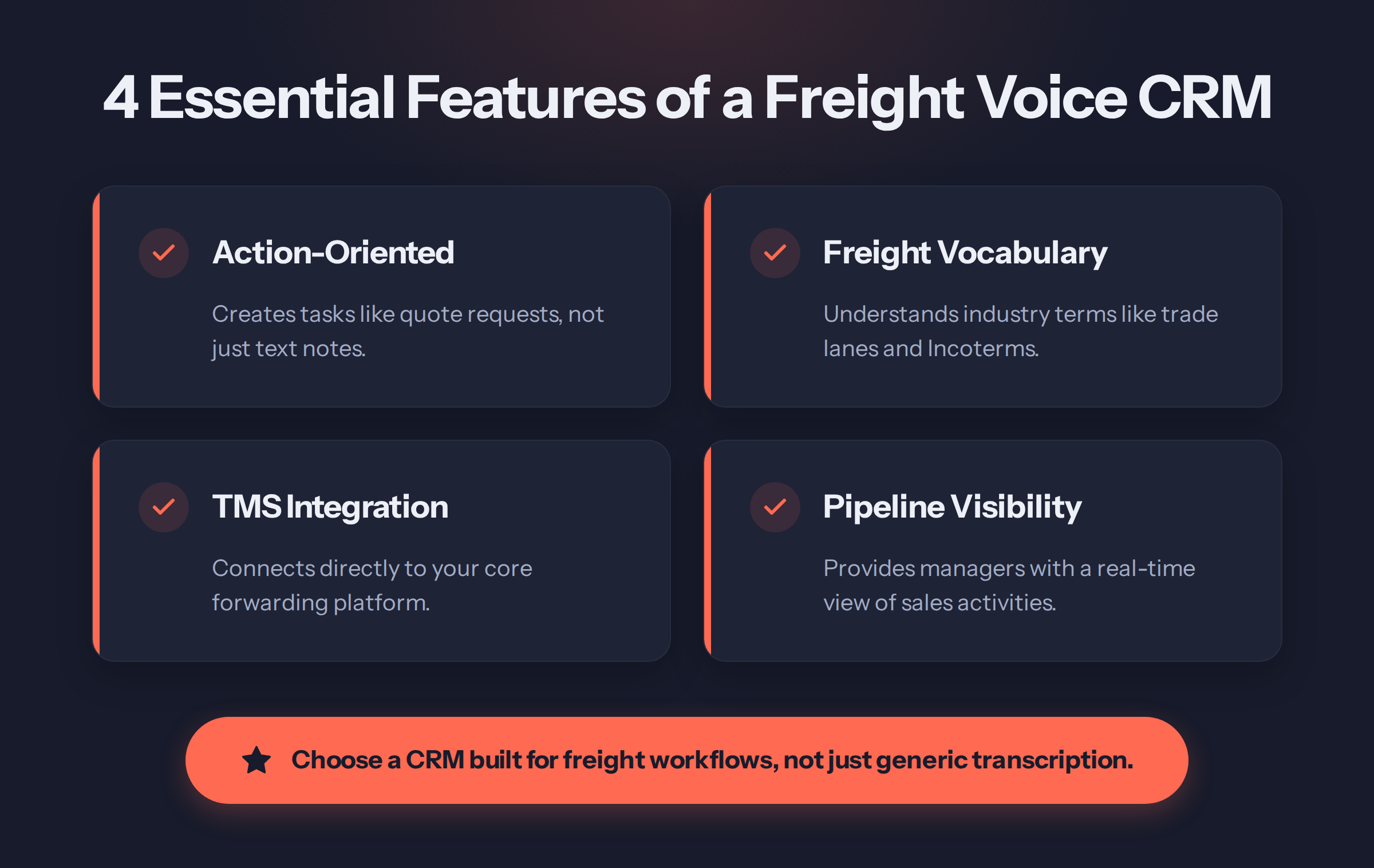
When choosing a voice CRM for freight forwarding, look for four key things. First, ensure it creates actions (like quote requests and follow-ups), not just text notes. Second, it must understand freight-specific language like trade lanes, container types, and Incoterms. Third, it should integrate directly with your core TMS or forwarding platform. Finally, it must provide managers with a real-time, accurate view of the sales pipeline as it happens.
Is voice logging compliant with data privacy rules?
Compliance is critical. Recording conversations may be subject to data protection laws like GDPR in the UK or state-level laws in the US, which often require consent from all parties. A compliant voice CRM workflow should focus on logging a salesperson's own summary notes *after* a call or visit, not recording the customer conversation itself without explicit consent. Always check the data protection rules in each country you operate in.
Sources & References
This article draws on research and data from the following verified sources:
From reading to hunting.
Everything on this page runs live on a working board — queue, cadence, quotes, wallet share. Bring your pipeline and watch Monday morning rank itself.
Book the working sessionKEEP READING